Home Bakery Inventory System: Track Stock Like a Pro
Stop wasting ingredients and money. Learn simple inventory tracking systems for home bakers, from manual logs to software solutions.
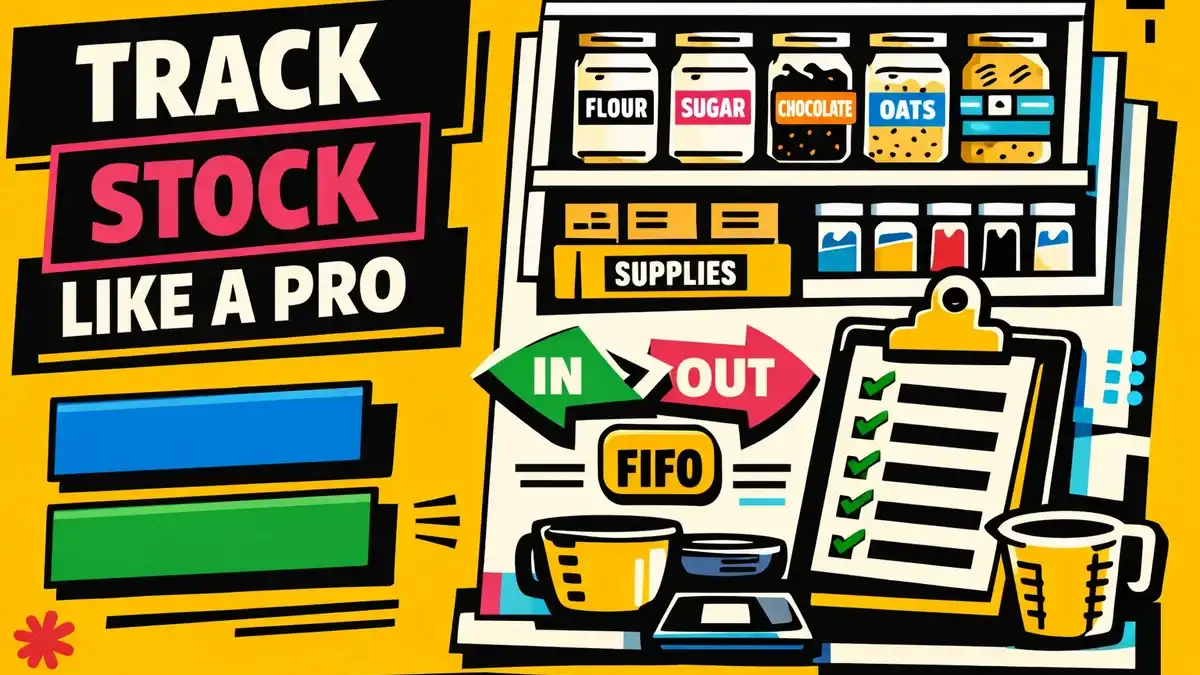
Imagine this: You’ve just landed a last-minute order for a three-tier wedding cake. You’ve cleared your schedule, preheated the oven, and started creaming the butter. Then, you reach for the vanilla bean paste—only to find an empty jar staring back at you. It’s 9 PM on a Tuesday, the local specialty store is closed, and your heart sinks.
For home bakers, this isn’t just a minor inconvenience; it’s a productivity killer and a profit-drainer. Transitioning from a hobbyist who “just bakes” to a professional home bakery owner requires a shift in mindset. You are no longer just a baker; you are a warehouse manager, a procurement specialist, and a logistics coordinator.
The backbone of this transformation is a robust home bakery inventory system. In this comprehensive guide, we will explore why inventory tracking is your most powerful tool for profitability, and we’ll detail three systems—ranging from low-tech to high-automation—that you can implement today to stop wasting ingredients and start making more money.
Why a Home Bakery Inventory System is Non-Negotiable
When you bake for family, an extra trip to the grocery store is just a nuisance. When you bake for profit, that trip costs you gas, time (which is your most expensive asset), and potentially the margin on your entire order.
Inventory management is the process of tracking your raw materials (flour, sugar, eggs), packaging (boxes, ribbons, stickers), and finished goods. Here is why it matters:
1. Eliminating “Invisible” Waste
Ingredients expire. Flour can attract pests if sitting too long. Spices lose their potency. Without a system, you might realize your expensive Valrhona chocolate has bloomed or your baking powder has lost its lift only when a batch fails. A good system ensures you use what you have before it goes bad.
2. Accurate Costing and Pricing
You cannot price your cakes accurately if you don’t know exactly how much your ingredients cost. Ingredient prices fluctuate. If you bought butter at $4.00 a pound last month but it’s $6.00 now, your “standard” price might be eating into your profit. An inventory system tracks these fluctuations.
3. Reducing “Panic Buying”
Last-minute runs to the convenience store for a gallon of milk often result in paying a 30-50% premium over wholesale or bulk prices. By tracking your stock levels, you can buy in bulk and plan your shopping trips, significantly lowering your Cost of Goods Sold (COGS).
4. Professionalism and Peace of Mind
There is a psychological weight to not knowing if you have enough supplies. When your inventory is managed, you can accept orders with confidence, knowing exactly what you have and what you need to order.
Method 1: The Manual Log (The “Low-Tech” Starter)
If you are just starting out or prefer the tactile feel of paper, a manual log is the best way to build the habit of tracking.
How to Set It Up
Create a dedicated “Inventory Binder” kept in your kitchen. Use a simple table format with the following columns:
- Item Name: (e.g., King Arthur AP Flour)
- Unit: (e.g., 5lb bag, 1 dozen)
- Current Quantity: How much is on the shelf.
- Date Checked: When you last looked.
- Par Level: The minimum amount you need to keep on hand (we’ll explain this later).
The “Tick Mark” System
A popular manual method is the Clip-Off System. Print out a list of your most-used items and clip it to your pantry door. Every time you open a new bag of flour or a new flat of eggs, make a mark. At the end of the week, tally the marks to see what needs to be replaced.
Pros:
- Zero cost.
- No technical learning curve.
- Always visible in the kitchen.
Cons:
- High risk of human error (forgetting to log).
- No automated math or costing.
- Difficult to scale as your order volume increases.
Method 2: The Digital Spreadsheet (The “Intermediate” Powerhouse)
For most home bakers, a spreadsheet in Google Sheets or Excel is the “Goldilocks” solution—it offers automation without the cost of a monthly subscription.
The Anatomy of a Perfect Bakery Spreadsheet
To build a truly effective home bakery inventory system in a spreadsheet, you need three connected tabs:
Tab A: The Master Inventory List
This is your database. It should include:
- Unique ID: A simple code for each item.
- Category: (e.g., Dry Goods, Dairy, Packaging, Decor).
- Supplier: Where you buy it (Costco, Amazon, Local Wholesaler).
- Unit Cost: The price divided by the unit (e.g., $20 for 50lbs = $0.40/lb).
- Current Stock: Manually updated or linked to Tab B.
Tab B: The In/Out Log
Instead of changing the “Current Stock” number directly, log every time you buy or use an item.
- Date | Item | Change (+/-) | Reason
- Example:
2025-12-01 | Flour | +50 | Purchase - Example:
2025-12-02 | Flour | -5 | Wedding Cake Bake
Tab C: The Reorder Dashboard
Use conditional formatting to make your life easier. Set a “Par Level” for each item. When the “Current Stock” drops below the “Par Level,” the cell turns bright red. This becomes your automatic shopping list.
The “Magic” Formula for Costing: In your spreadsheet, you can link your inventory costs directly to your recipe templates. If the price of vanilla goes up in your Inventory tab, your “Vanilla Cake” recipe cost will update automatically across all your sheets.
Pros:
- Automated calculations.
- Easy to update via mobile phone.
- Provides historical data on spending.
Cons:
- Requires basic spreadsheet knowledge.
- Can become “clunky” if you have hundreds of items.
- Still requires manual data entry for usage.
Method 3: Professional Inventory Software (The “Scale” Solution)
When you reach a point where you are baking 10+ orders a week, the time spent managing a spreadsheet often outweighs the cost of professional software. Tools designed for small food businesses (like Butterbase) or specialized inventory apps (like Craftybase) offer features a spreadsheet can’t touch.
Key Features of Bakery Software:
- Recipe Integration: When you mark an order as “Completed,” the software automatically subtracts the required ingredients from your inventory. If a recipe calls for 500g of flour and you make 10 cakes, the system deducts 5kg of flour instantly.
- Batch & Expiry Tracking: Essential for food safety. The system can alert you when a specific batch of eggs is approaching its “use by” date.
- Vendor Management: Store your wholesale account details and past invoices in one place.
- Labor Costing: Most software allows you to track the time spent on an order, giving you a true “total cost” that includes your labor.
Pros:
- Maximum automation.
- Professional-grade reporting (useful for taxes!).
- Seamless scaling for growth.
Cons:
- Monthly subscription cost.
- Initial setup time can be intensive.
Mastering the Concepts: FIFO and PAR Levels
Regardless of which method you choose, your system will fail if you don’t understand two core principles of professional inventory management: FIFO and PAR Levels.
FIFO: First-In, First-Out
This is the golden rule of food storage. It simply means using the oldest stock first.
How to implement FIFO in a home kitchen:
- The “New in Back” Rule: When you come home from the store with new bags of sugar, move the existing bags to the front of the shelf and put the new ones behind them.
- Labeling: Use a piece of masking tape and a sharpie to write the “Date Opened” on every container.
- Rotation: Once a month, do a “shelf rotation” to ensure nothing is hidden in the dark corners of your pantry.
PAR Levels: Periodic Automatic Replenishment
A “Par Level” is the minimum amount of an ingredient you must have on hand to satisfy your typical orders until your next restock.
How to Calculate Your Par Level:
Formula: (Daily Usage x Lead Time) + Safety Stock = PAR Level
- Daily Usage: On average, how much of this item do you use per day?
- Lead Time: How many days does it take to get more? (e.g., 0 days for the local grocery, 5 days for an online order).
- Safety Stock: A “buffer” for unexpected large orders.
Example: Flour
- You use 2 lbs of flour per day on average.
- You shop once every 7 days (Lead Time = 7).
- You want a 3 lb buffer (Safety Stock = 3).
- Calculation: (2 lbs x 7 days) + 3 lbs = 17 lbs.
- Action: When your flour stock hits 17 lbs, it’s time to buy more.
Setting Up Your Home Bakery Inventory System: A 5-Step Guide
Ready to get started? Follow this plan to get your kitchen organized in a single weekend.
Step 1: The Deep Clean and Audit
You cannot track what you cannot see. Empty your pantry, fridge, and freezer. Throw away anything expired. Group similar items together:
- Dry Ingredients: Flours, sugars, leaveners.
- Wet Ingredients: Oils, extracts, pastes.
- Decor: Sprinkles, food coloring, dusts.
- Packaging: Boxes, boards, liners.
Step 2: Categorize and Quantify
Create a list of everything you have. Be specific about brands if it matters for your recipes. Measure everything—use a kitchen scale for partial bags of flour or sugar.
Step 3: Choose Your System
Pick Method 1, 2, or 3 based on your current volume and comfort level. Enter all your audit data into your chosen system.
Step 4: Set Your Par Levels
Go through your top 10 most used items and calculate their Par Levels using the formula above. This is the most important step for preventing stockouts.
Step 5: Establish the Routine
An inventory system is only as good as its data.
- Daily: Log any items that were completely used up.
- Weekly: Spend 10 minutes on Friday morning checking your stock against your Par Levels to create your shopping list.
- Monthly: Do a “Hard Count”—a full physical audit to ensure your system matches reality.
Troubleshooting Common Inventory Issues
”I forget to log things when I’m busy.”
This is the #1 reason systems fail. Solution: Keep a “Waste Bin” for packaging. Every time you finish a bag of flour or a carton of eggs, toss the empty packaging into a specific bin. At the end of your shift, log everything in that bin at once.
”Ingredient prices keep changing.”
It’s frustrating to update costs constantly. Solution: Use an “Average Cost” method. If you bought butter at $4 and then at $6, use $5 as your cost until you restock again. Only update your system once a month unless there is a massive price spike.
”I have too much of one thing and none of another.”
This is a sign that your Par Levels are off. Solution: If you have 50 lbs of cocoa powder but only use 1 lb a month, lower your Par Level. Inventory is “frozen cash”—you want that money in your bank account, not sitting on a shelf.
Frequently Asked Questions
1. What is the best way to track inventory for a small home bakery?
For most beginners, a digital spreadsheet is the best balance of cost and functionality. It allows you to automate calculations and cost your recipes without the recurring expense of professional software, while remaining more organized than a manual notebook.
2. How often should I perform a full physical inventory count?
You should perform a “hard count” or full audit at least once a month. This ensures that your digital or manual records match the actual items on your shelves, accounting for spills, hidden waste, or forgotten entries.
3. Should I track every single sprinkle and food coloring?
No. Focus on high-value or high-volume items first. Track flours, sugars, butter, eggs, and expensive extracts. For small items like sprinkles or food gels, consider them “supplies” and just restock them when you visually see they are low.
4. How do I handle inventory for custom orders?
When you accept a custom order, immediately check your inventory system against the recipe requirements. If the order requires specialty items (like a specific gold leaf), add those to your “Lead Time” calculation and order them immediately upon deposit payment.
5. Does an inventory system really save me money?
Yes. By implementing FIFO and Par Levels, you reduce food waste (spoilage) and eliminate expensive last-minute grocery runs. Most home bakers find they save 10-15% on ingredient costs in the first three months of using a system.
Conclusion: Take Control of Your Kitchen
A home bakery is a labor of love, but it is also a business. Treating your ingredients like the valuable assets they are will change the way you work. You’ll bake with less stress, price your products with more confidence, and ultimately, bring home more profit.
Don’t try to build the perfect system overnight. Start with a simple audit, pick a tracking method that fits your life, and commit to the routine. Your future self—the one who doesn’t have to run to the store for vanilla at 9 PM—will thank you.
Ready to take your bakery to the next level? Start your inventory audit today.
This post was brought to you by the team at Butterbase—the ultimate toolkit for professional home bakers.